

Invite your people
People join your team by invitation. You type their email addresses, each gets an email, and each takes one of your seats when they accept.
- Who can do this
- The Owner or Admin
- What you need first
- A team that is running, a free seat for each person, and each person's email address.
- How long it takes
- About 3 minutes
Step 1: Open your Team page
Go to jobtracker.co.nz/team. Under Teams you look after, press your team's name. From the app, Team page under Your Timesheets goes straight there. The same line says where your own seat stands.
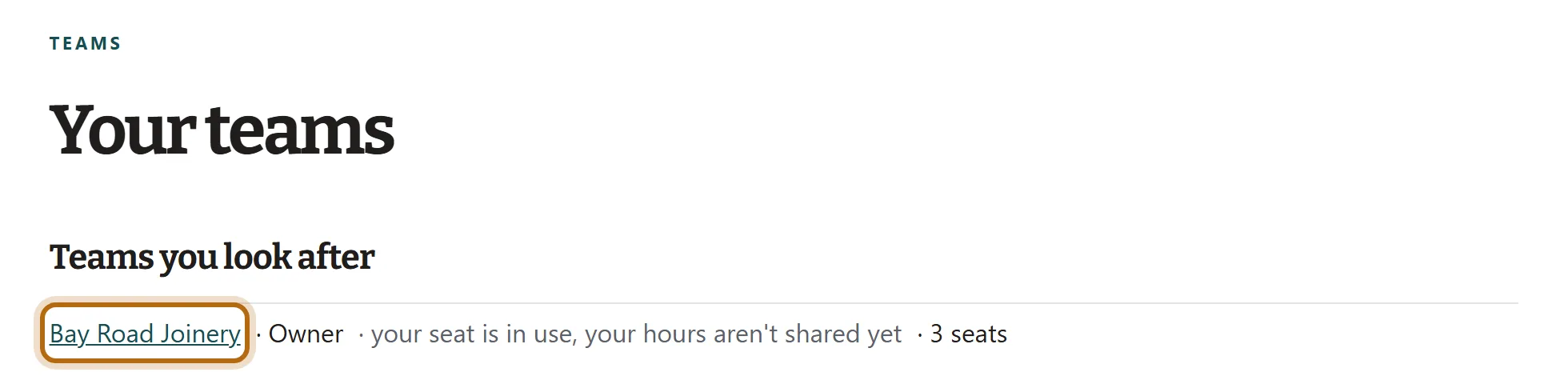
In each picture, the thing to press or read has a ring around it. Tap a picture to see it full size.
Step 2: Scroll down to Invite people
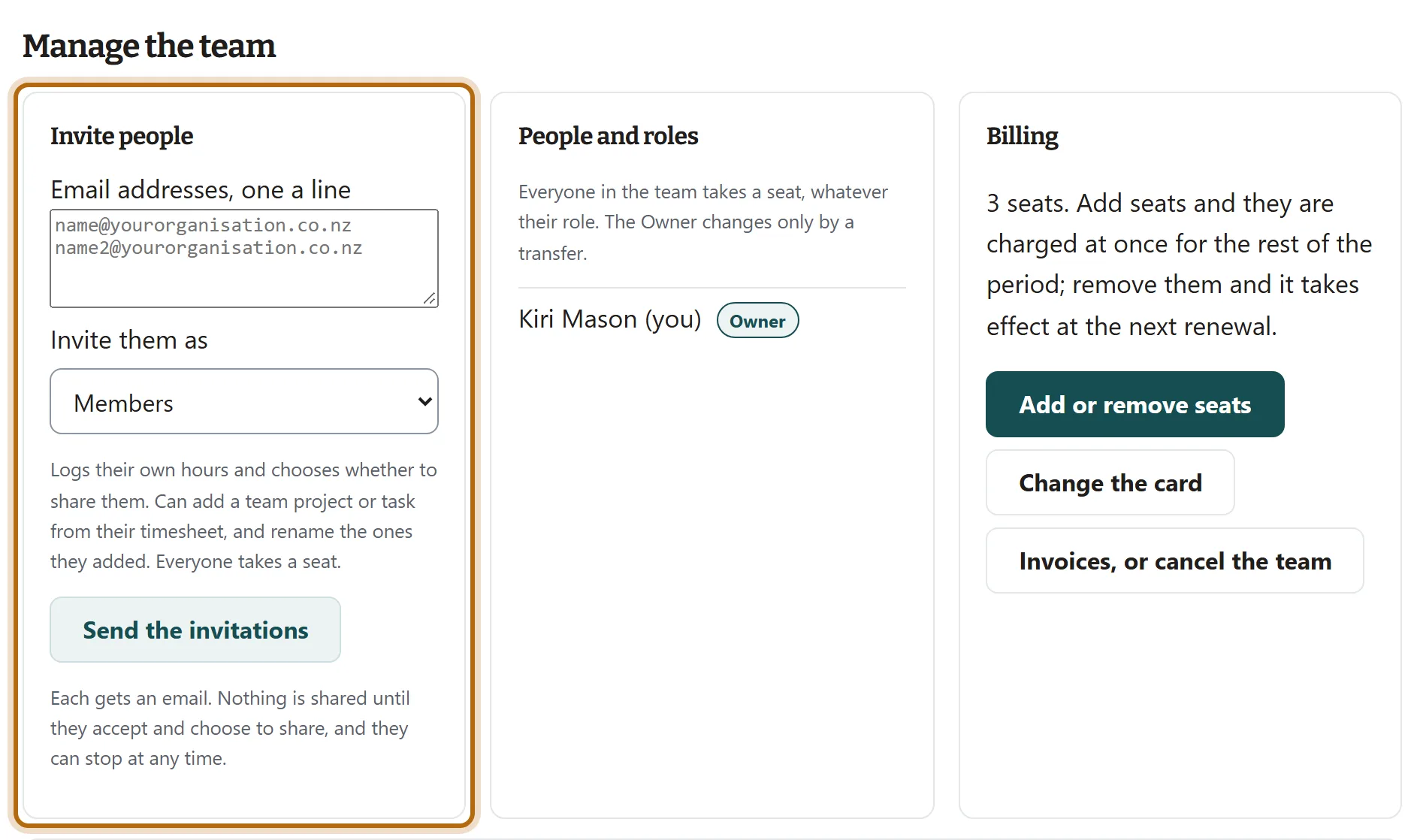
Under the heading Manage the team, the first box is Invite people.
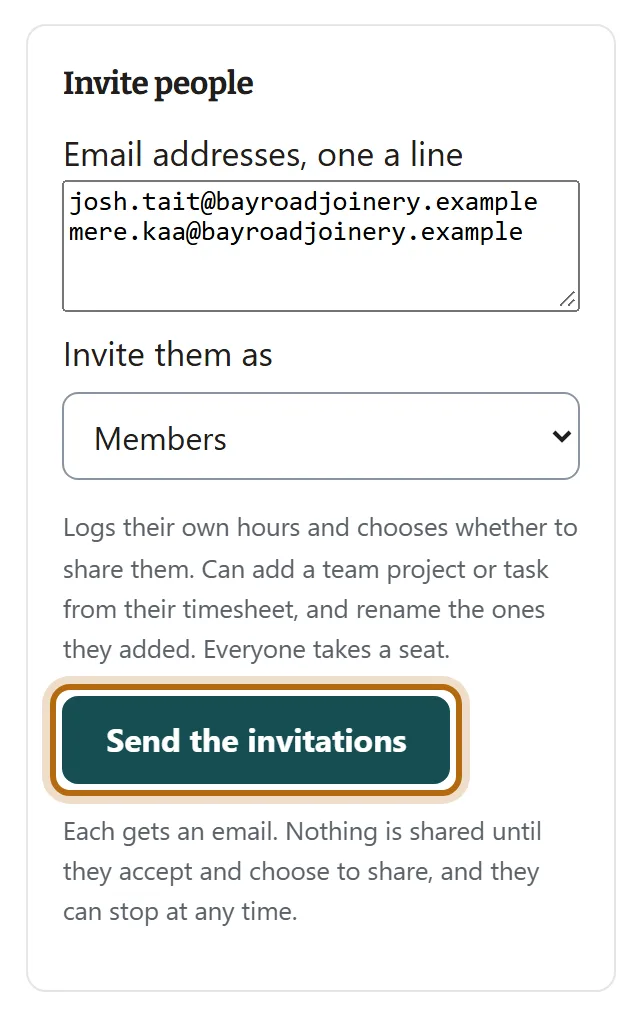
Step 3: Type the email addresses, one a line
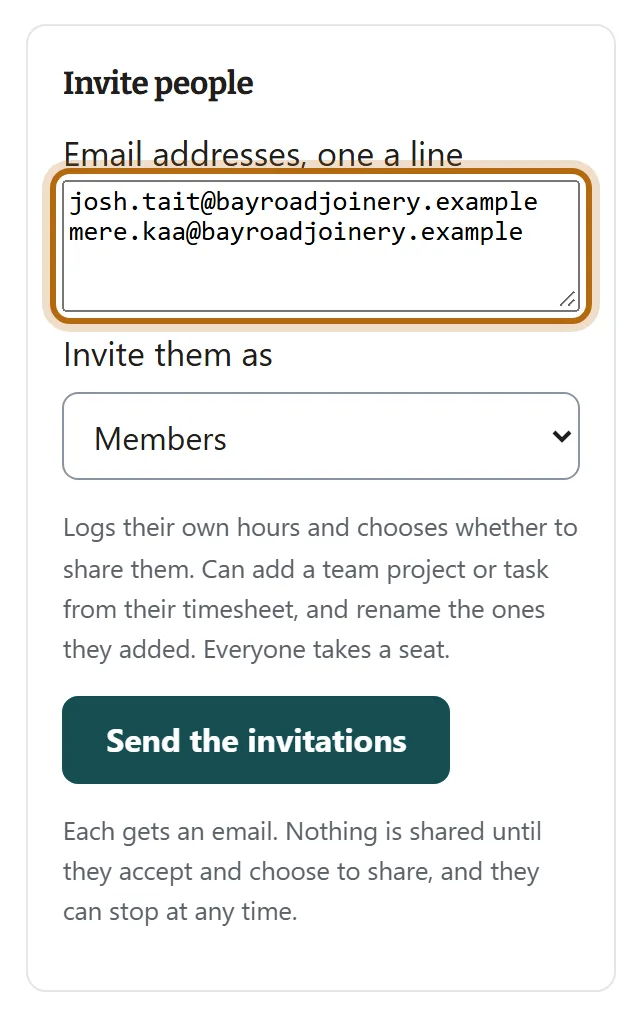
Use the address each person will sign in with. An invitation can only be accepted by the address it was sent to.
Step 4: Choose what to invite them as
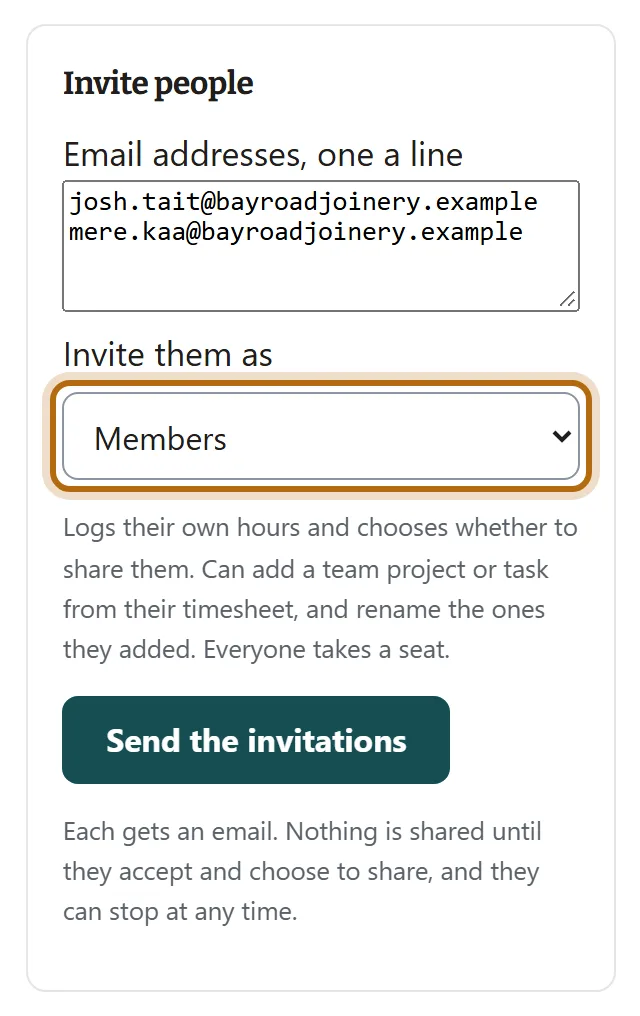
Under Invite them as, choose Members, Approvers or Admins. The line under the box says what that role can do, and ends Everyone takes a seat.
Step 5: Press Send the invitations
The page says Invitations sent. Nothing is shared until each person says so. Nobody's hours reach you until they accept and choose to share.
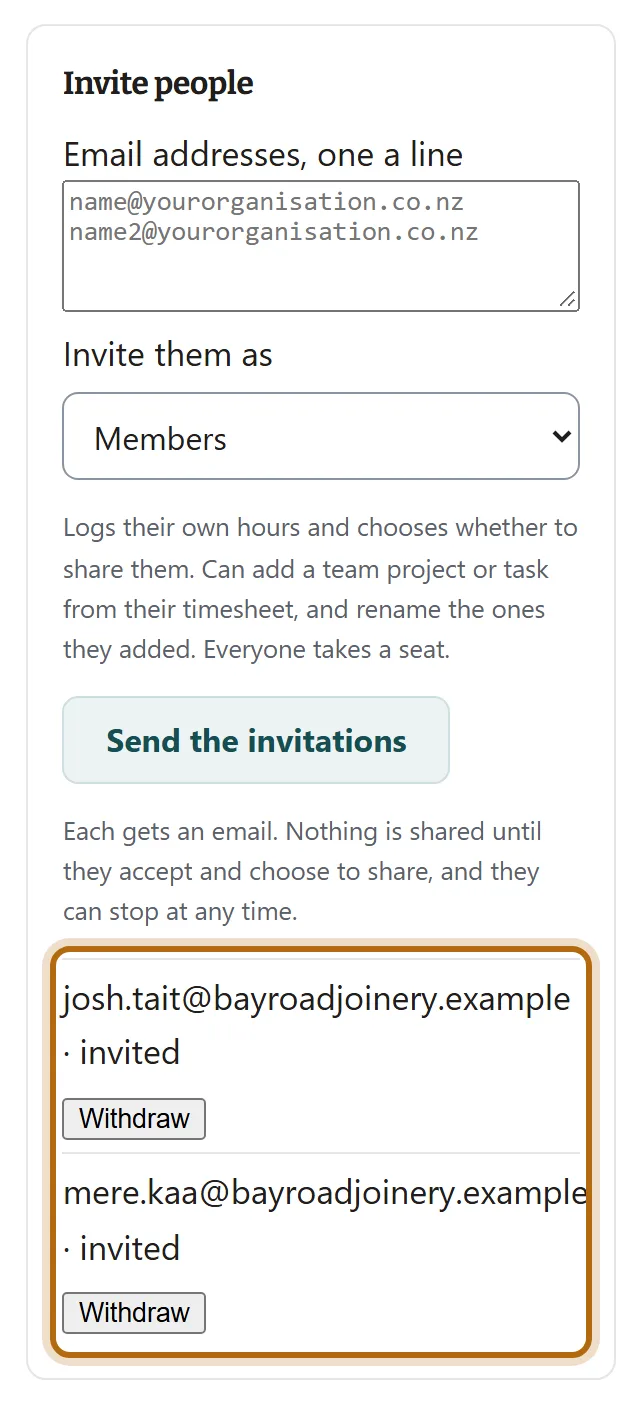
Step 6: Check the list of invitations
Each address is now listed in the box as invited. To take one back, press Withdraw beside it: its link stops working and its seat is free again.
Step 7: What each person receives
One email, with the subject Bay Road Joinery has invited you to keep your timesheet with jobtracker.co.nz, your name, and a button, Accept the invitation. The link works for 14 days.
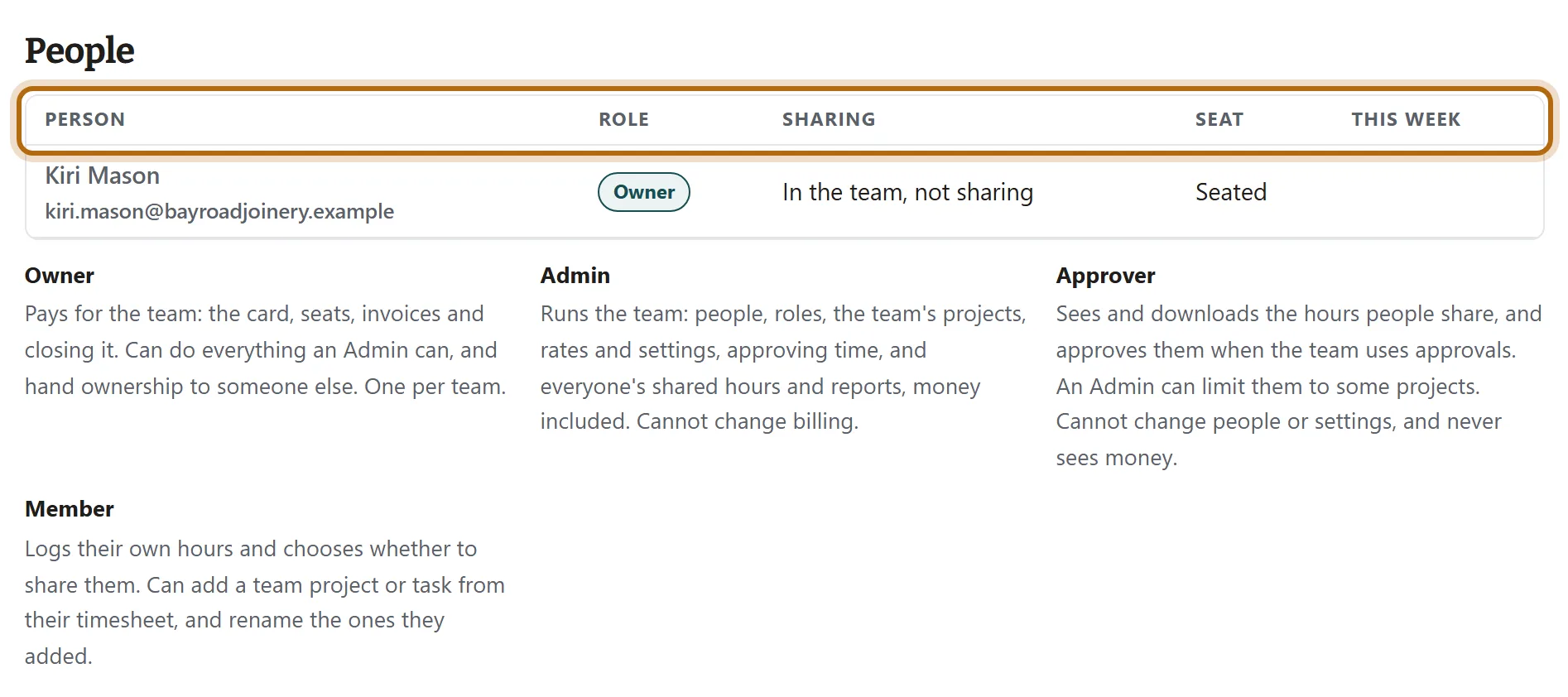
Step 8: Watch them appear under People
When somebody accepts, they join the People table on your Team page. Sharing says whether they share their hours, and Seat says where their seat stands.
What happens next
- An open invitation holds a seat until it is accepted or withdrawn.
- When they accept, they choose whether to share the hours they log for you, and whether to share their notes. They can change either later.
- Their plan is paid by the team while they are in it, whether they share or not.
If it doesn't look like this
It says No seats are free
Every seat is held by a person or an open invitation. Withdraw an invitation, or the Owner adds seats under Billing: each is charged at once for the rest of the period.
An address you typed is not in the list
Somebody already in the team, or already invited, is not written to twice, and anything that is not an email address is left out. The page says Invitations sent either way.
It says Type one or more email addresses, one a line
Nothing you typed was an email address. Check for a missing @ or ending.
It says This team is not active
The team is unpaid or has ended, so nobody can be invited until it is paid for.
From jobtracker.co.nz/how-to/team/invite-your-people · Screens checked 13 October 2026